Before you start
- Your plan or free trial is active. Staff Order is included.
- A tablet or computer at the counter (a phone works too).
Step by step
-
Open Staff Order
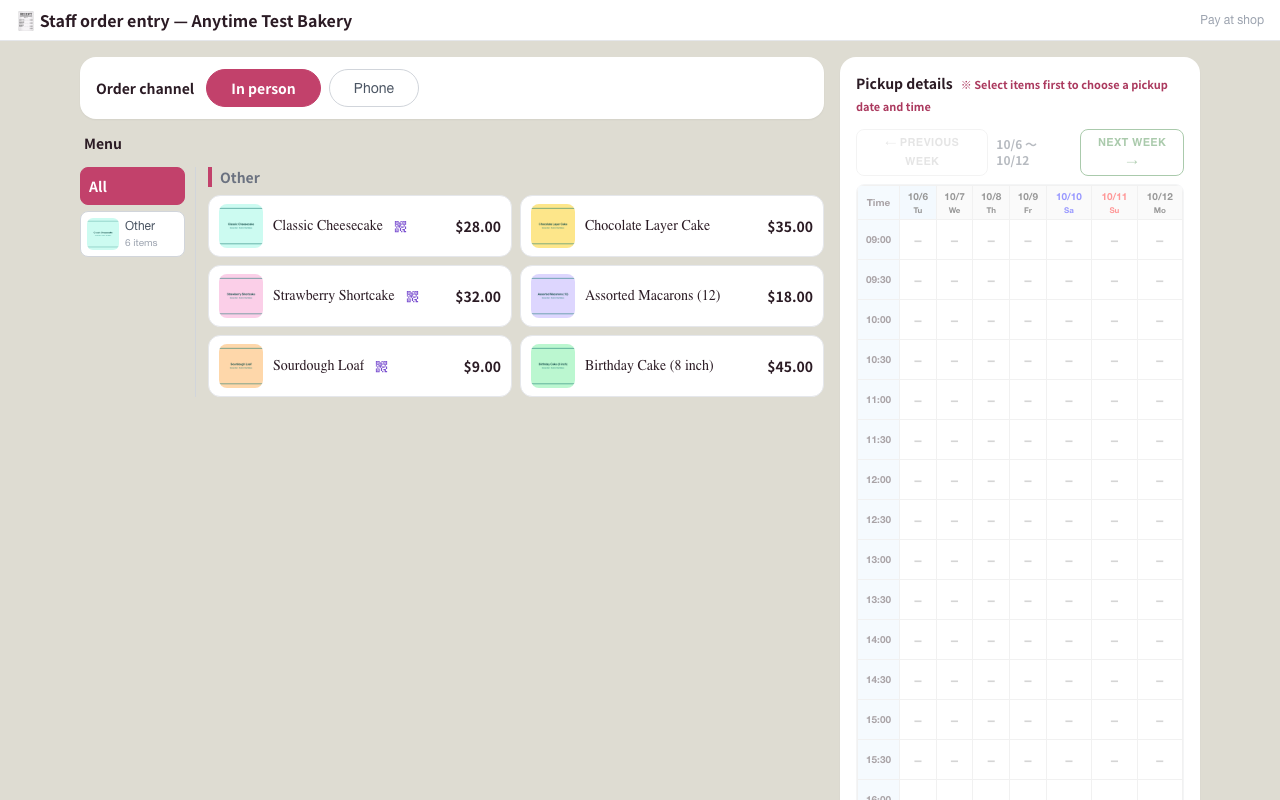
Click Staff Order in the ORDER PAGE group of the left menu. It opens in a new tab, ready to keep open on a counter tablet.
If the screen says This feature is available to subscribers only, your plan is not active. Open Plan & billing to start or renew it.
-
Choose how the order came in
At the top, pick In person or Phone. This is saved with the order so you can tell them apart later.
-
Add the items
Tap a product (use the category buttons to narrow the list). Choose the Quantity and options, type a Message plate or tap a preset such as HAPPY BIRTHDAY, and tap Add to order.
Repeat for each item. Tap an item in the order to change it.
-
Pick the pickup time
Under Pickup details, tap an open slot (◯). Use ← Previous week and Next week → to move between weeks.
The same pickup hours, closed days and stock apply as on your order page, but staff orders also work while the Open switch is off.
-
Enter the customer
Phone number is required; the name is optional but helps at pickup. Use Find a customer from past orders to fill them in.
Add any Requests, flags, or a Custom add-on amount for extra work, such as special lettering.
-
Review and place the order
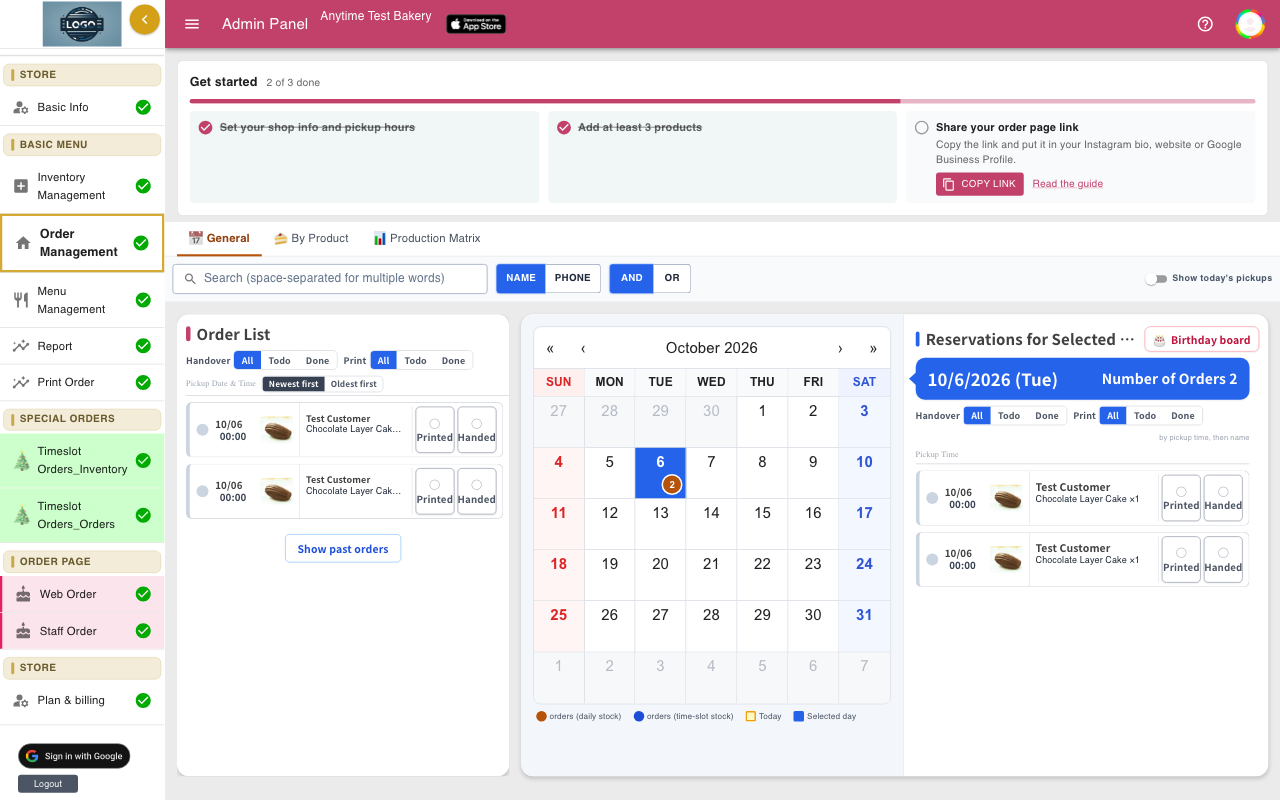
Tap Review order, check everything, then Place order and confirm. You will see Order received with buttons to Print order slip or Take another order.
The order appears in Order Management, marked as a staff order, and takes stock like any other order.
-
Set up price presets for extras
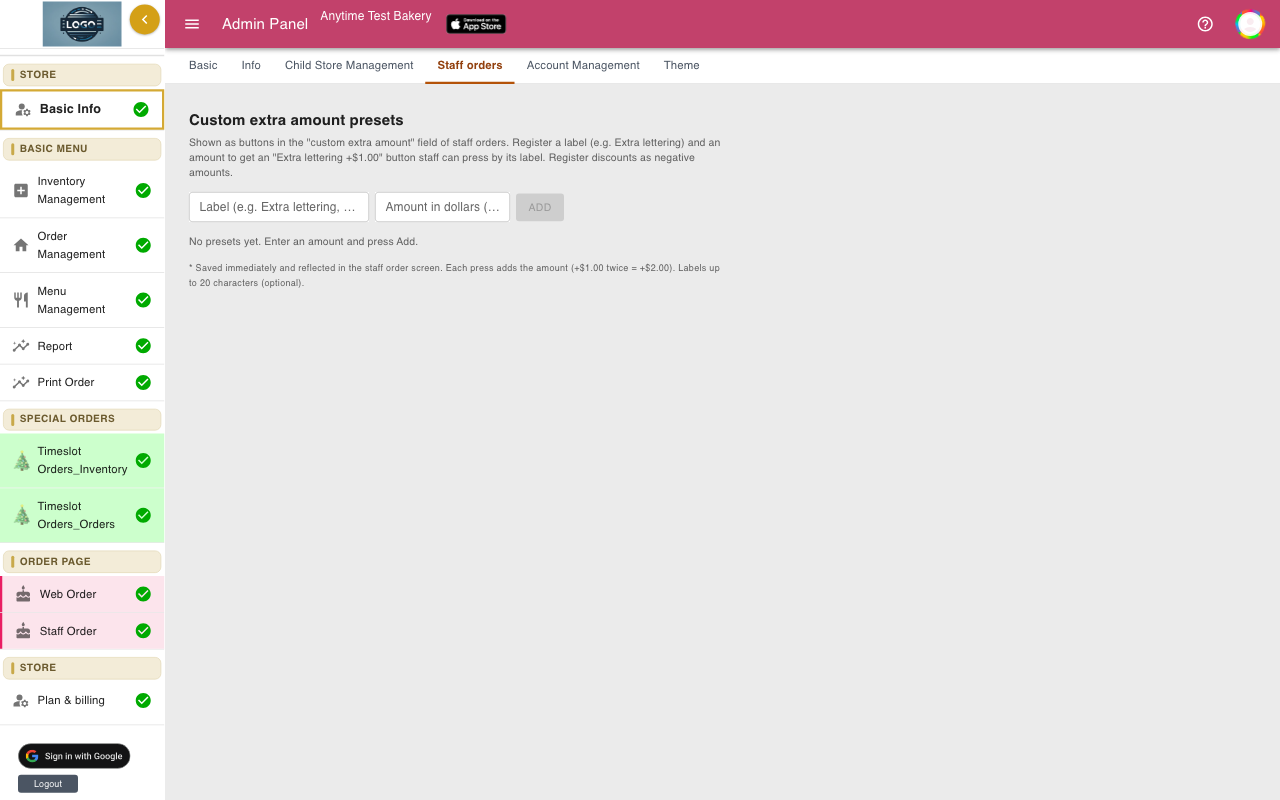
In Basic Info, open the Staff orders tab. Under Custom extra amount presets, enter a Label and an amount in dollars, for example 3.00, and click Add. Presets save straight away.
They appear as buttons under Custom add-on amount on the Staff Order screen. Up to 30 presets.
-
Choose which products staff can sell
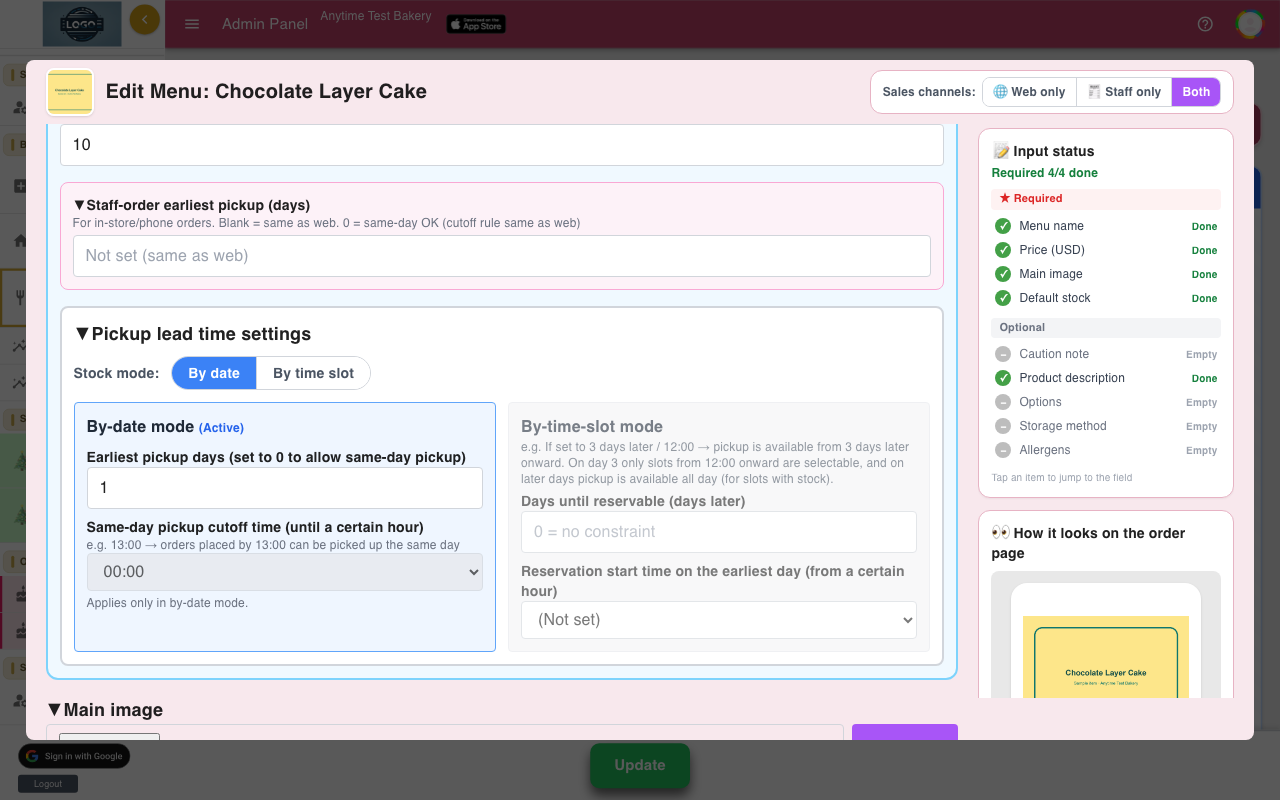
In Menu Management, each product's Sales channels can be Web only, Staff only or Both. Use Staff only for things you only sell by phone, such as large custom cakes.
Staff-order earliest pickup (days) in the product window can give staff a shorter lead time than the web. Leave it blank to use the same as the web.
Tips
- Anyone with the Staff Order link can enter orders. Keep the link on your shop devices and don't share it publicly.
- Read the order back to the customer on the Review order screen before you place it.
Questions
Do staff orders send an email to the customer?
No. There is no customer email field. A copy goes only to your shop's own email addresses.
Can I take a staff order on a day that is fully booked?
No. Staff orders use the same stock as online orders. Raise the stock for that day in Inventory Management first if you can make more.
How is a staff order marked in Order Management?
The order details show a Staff order box with how it came in, the request note and any custom amount.
Related guides
Still stuck? Email us at support-global@cakesystem.net.